Appointments are written into Google, Outlook or Apple
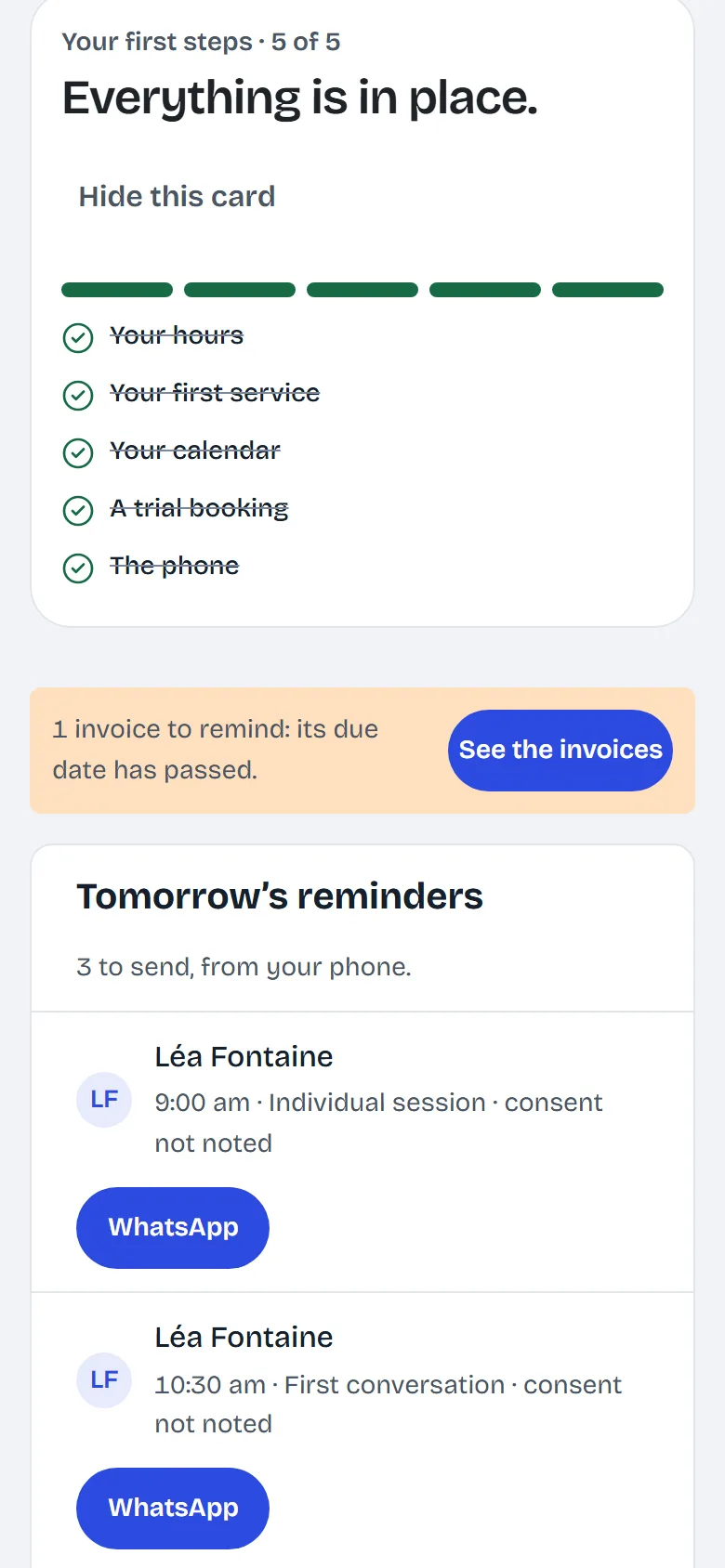
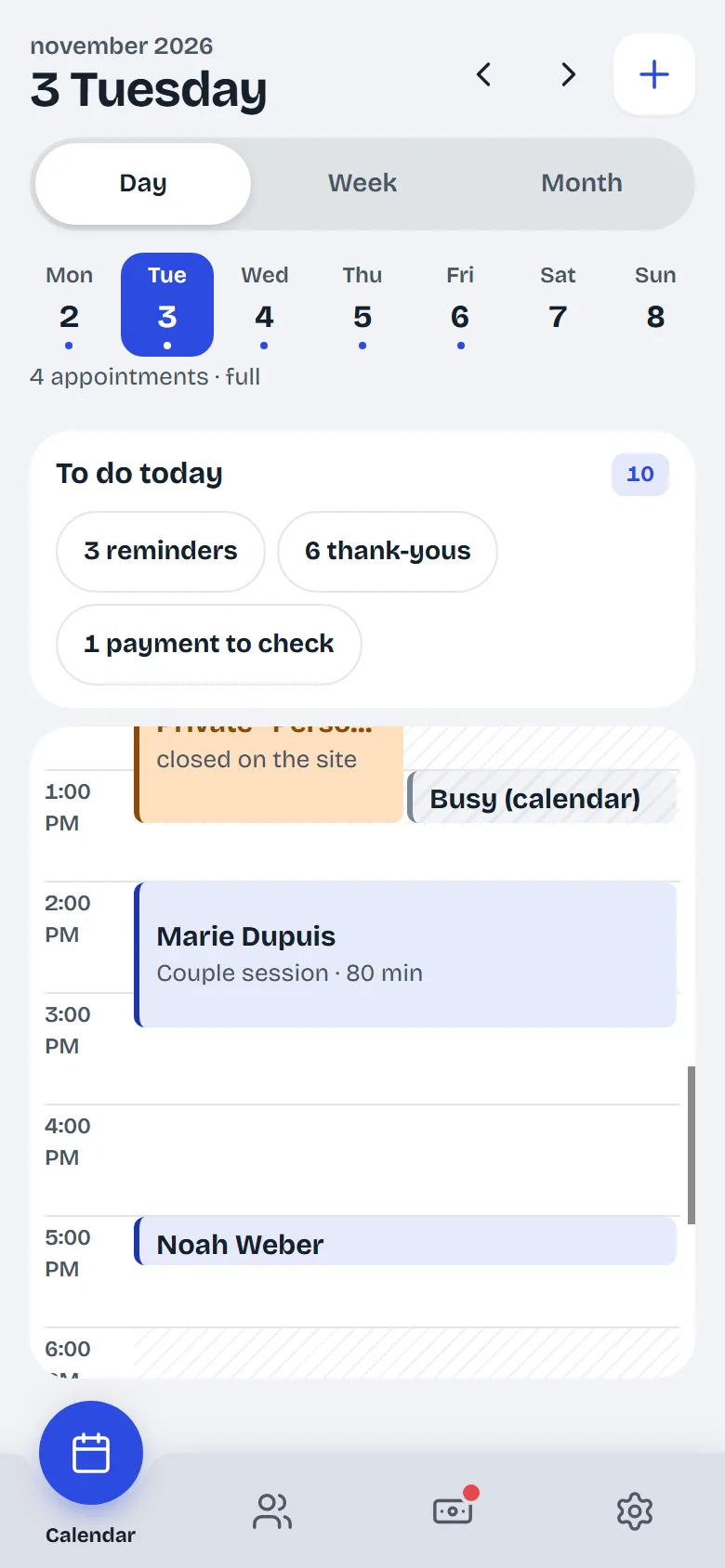
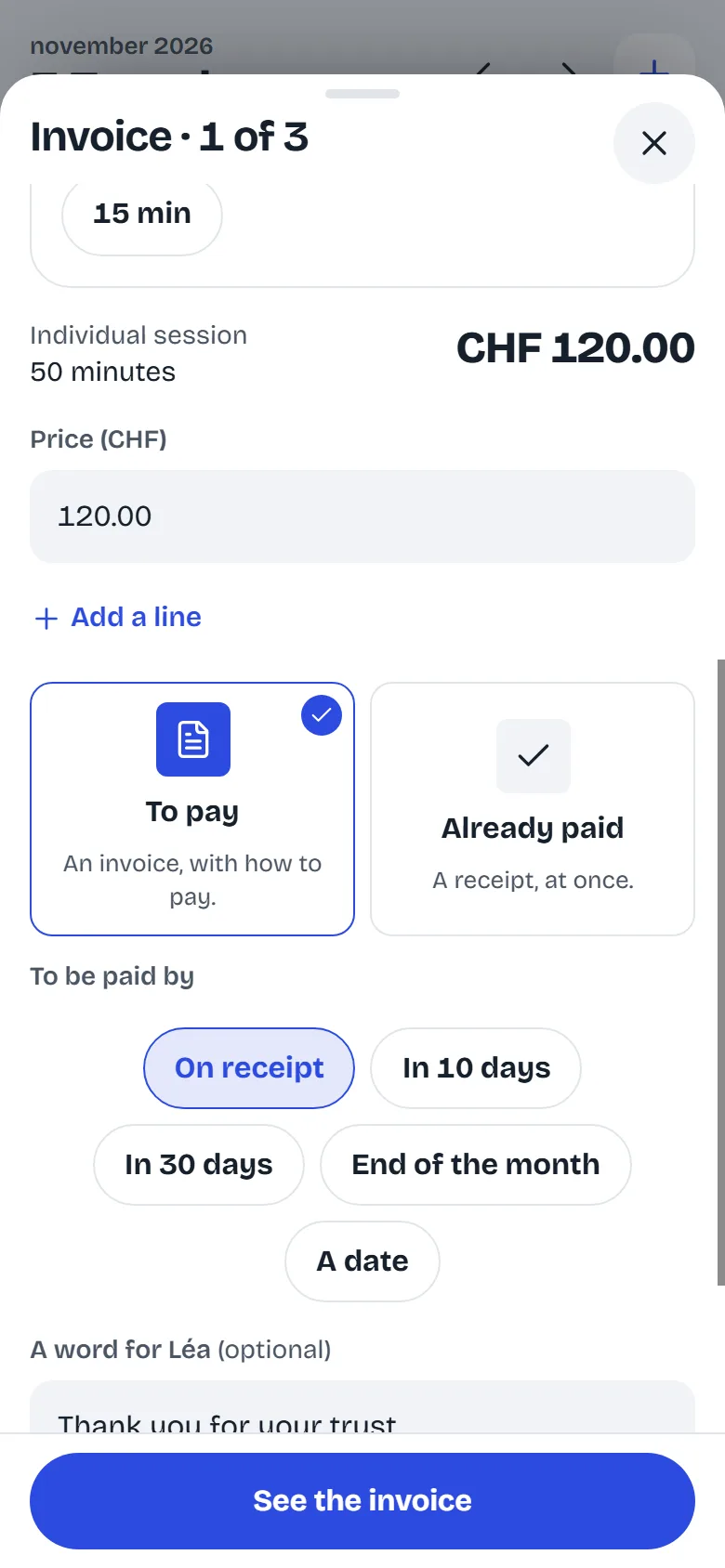
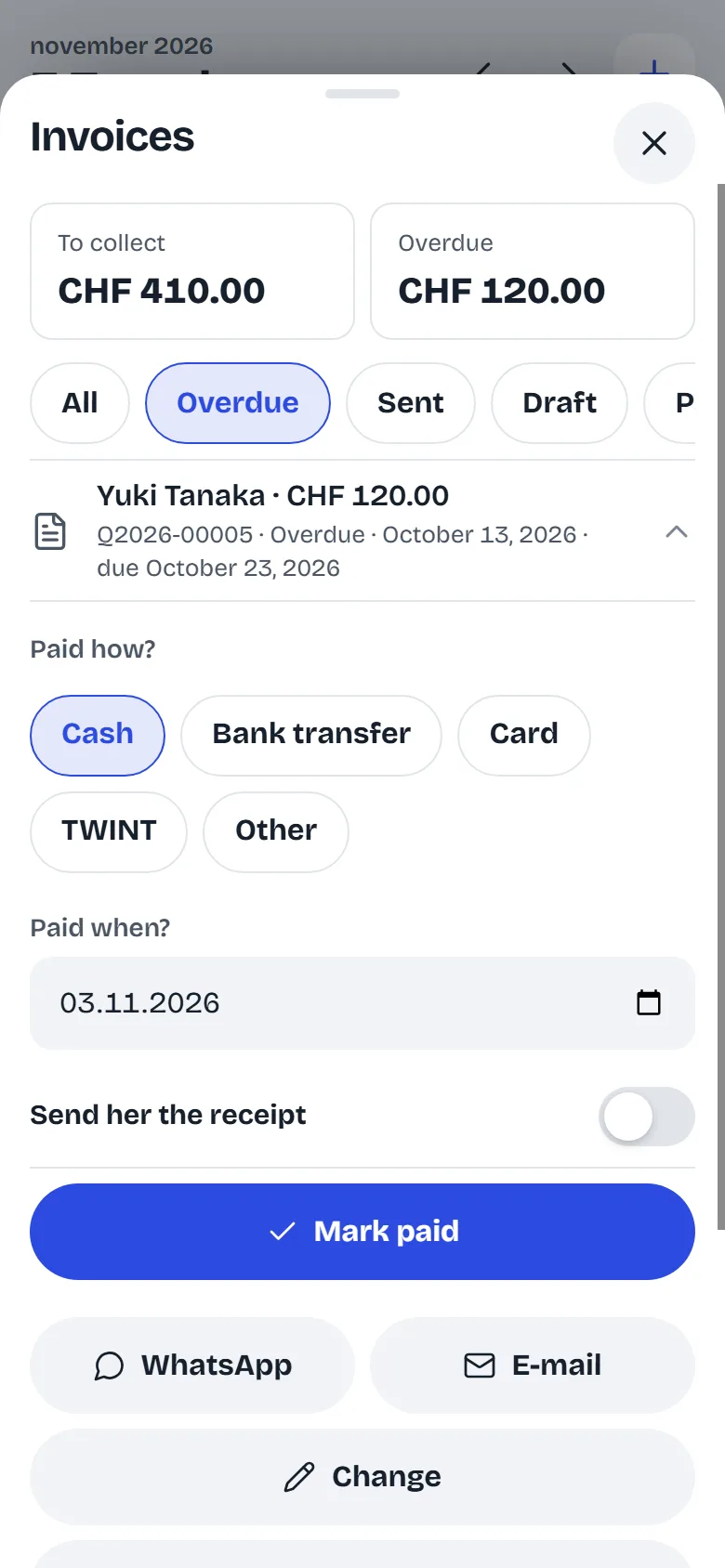
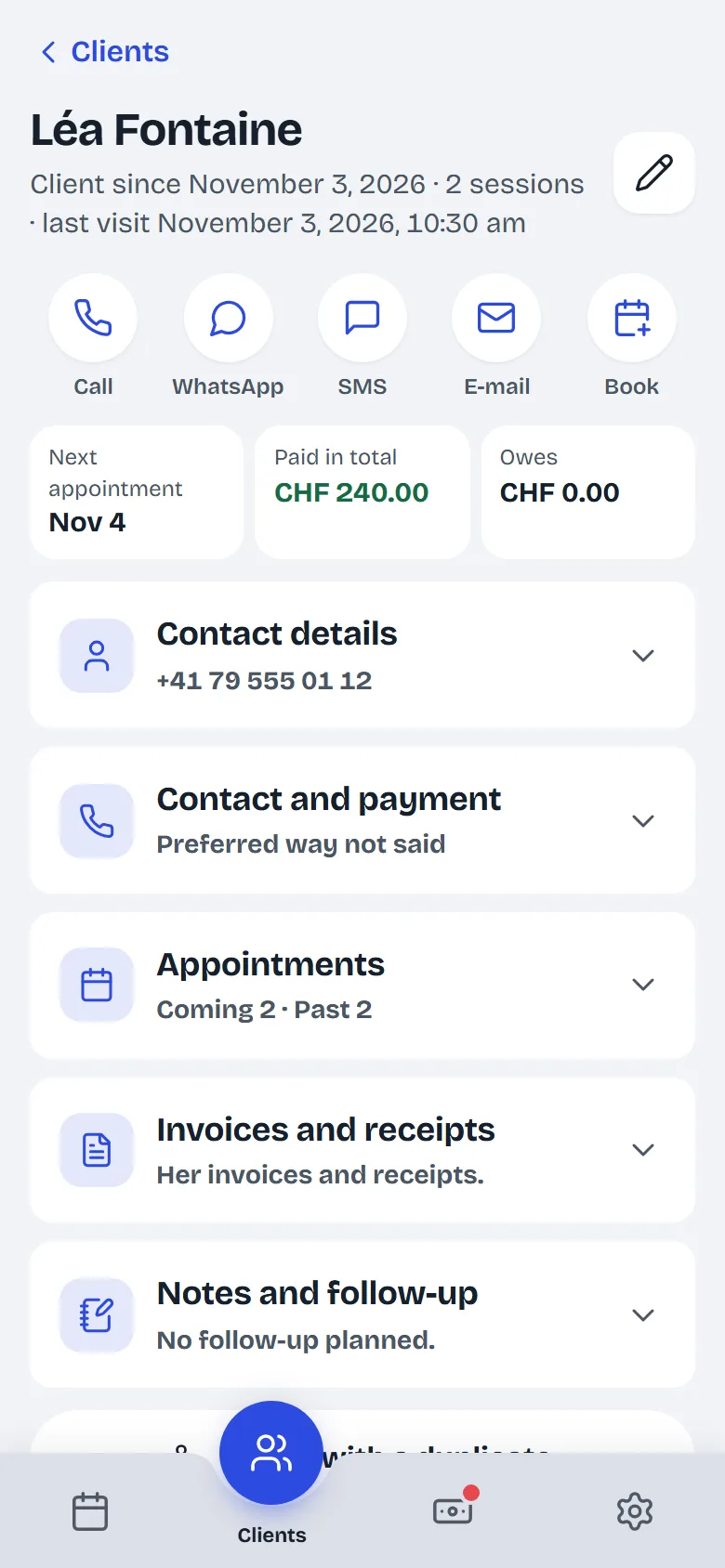
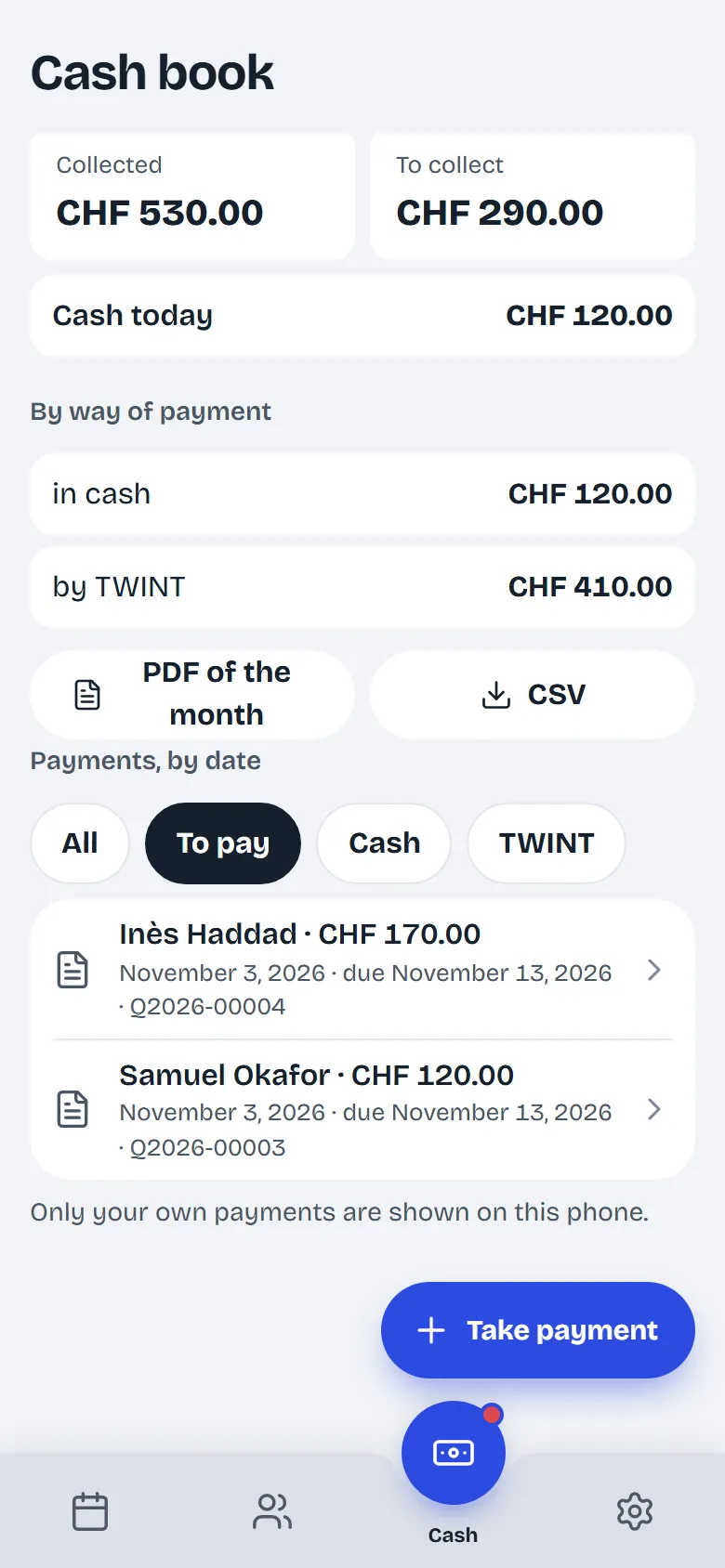
The phone app: your day, calls, invoice after the session
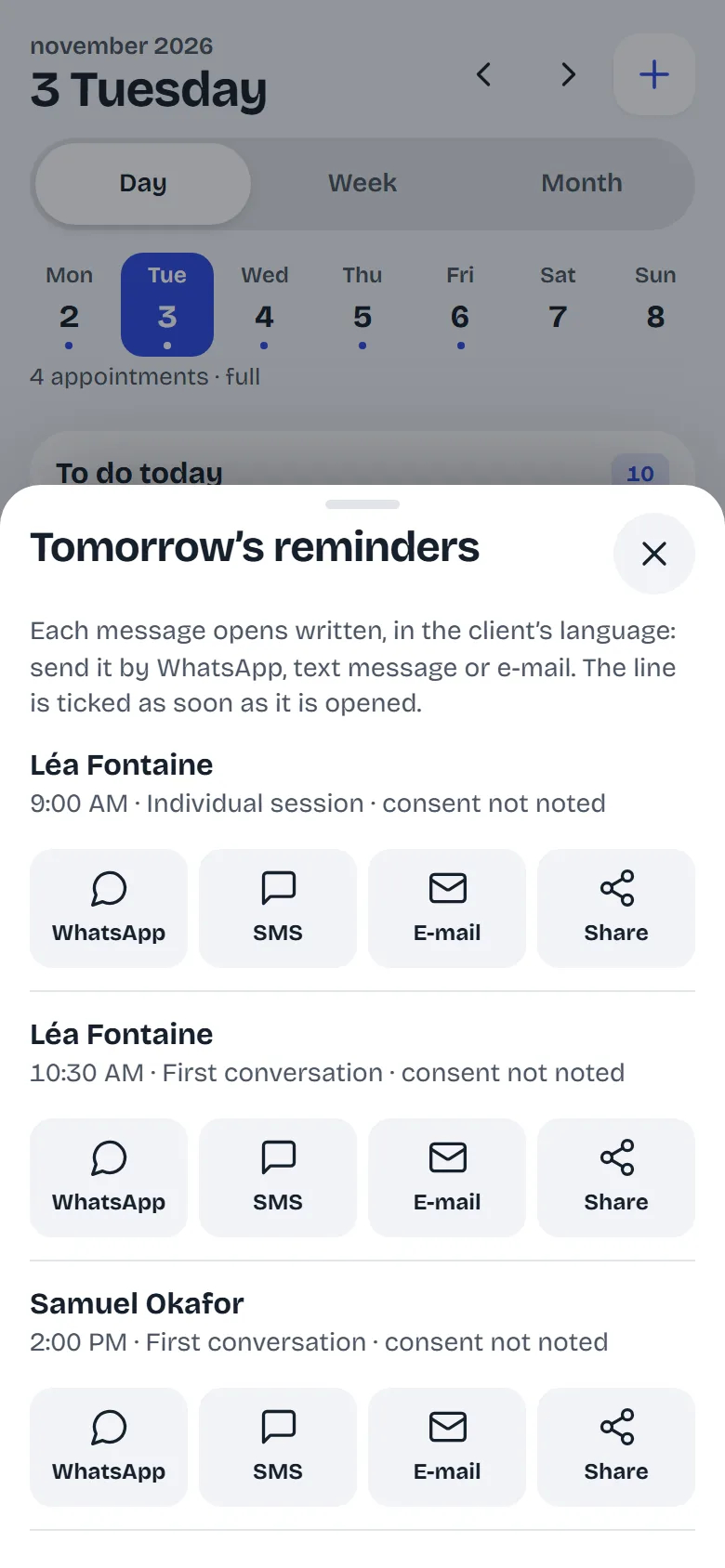
Reminders ready the day before, sent with one tap
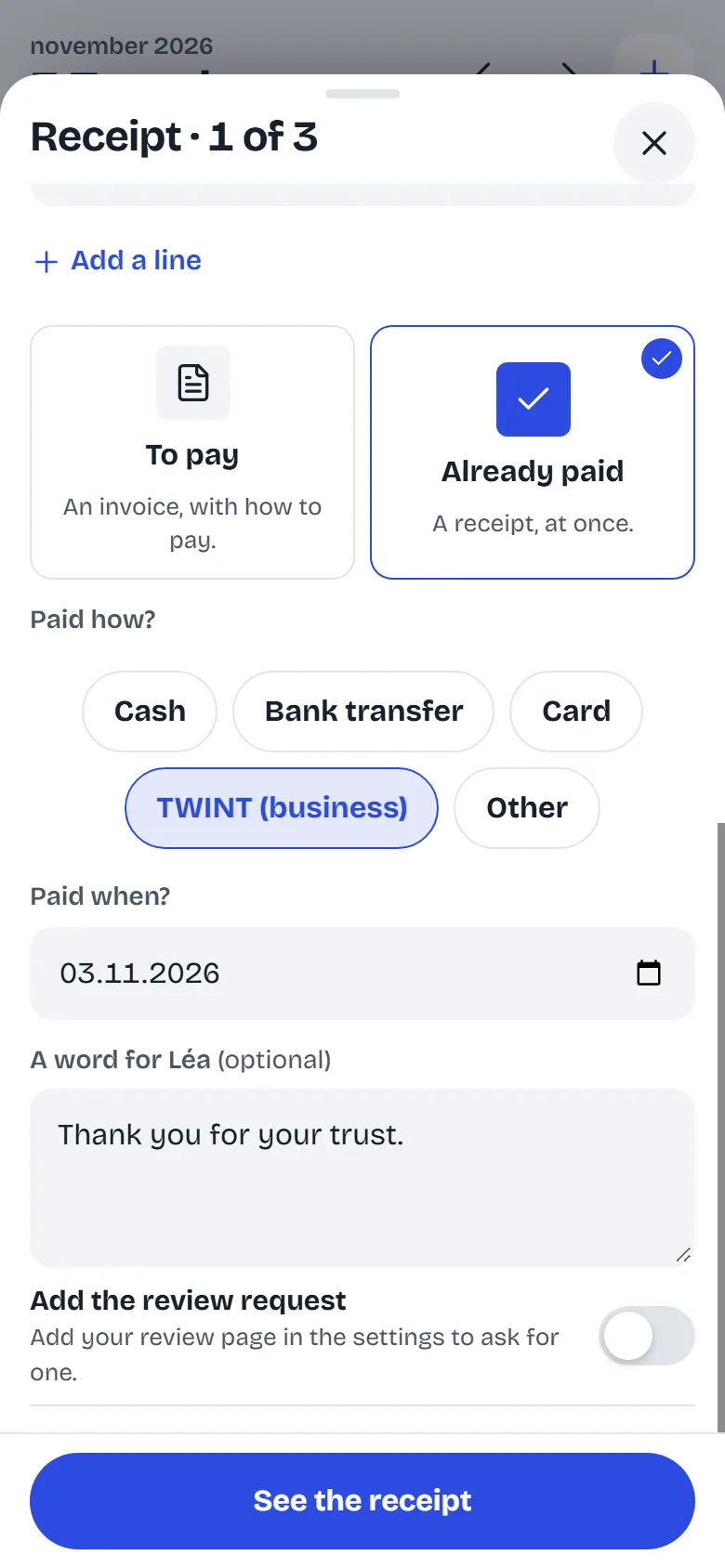
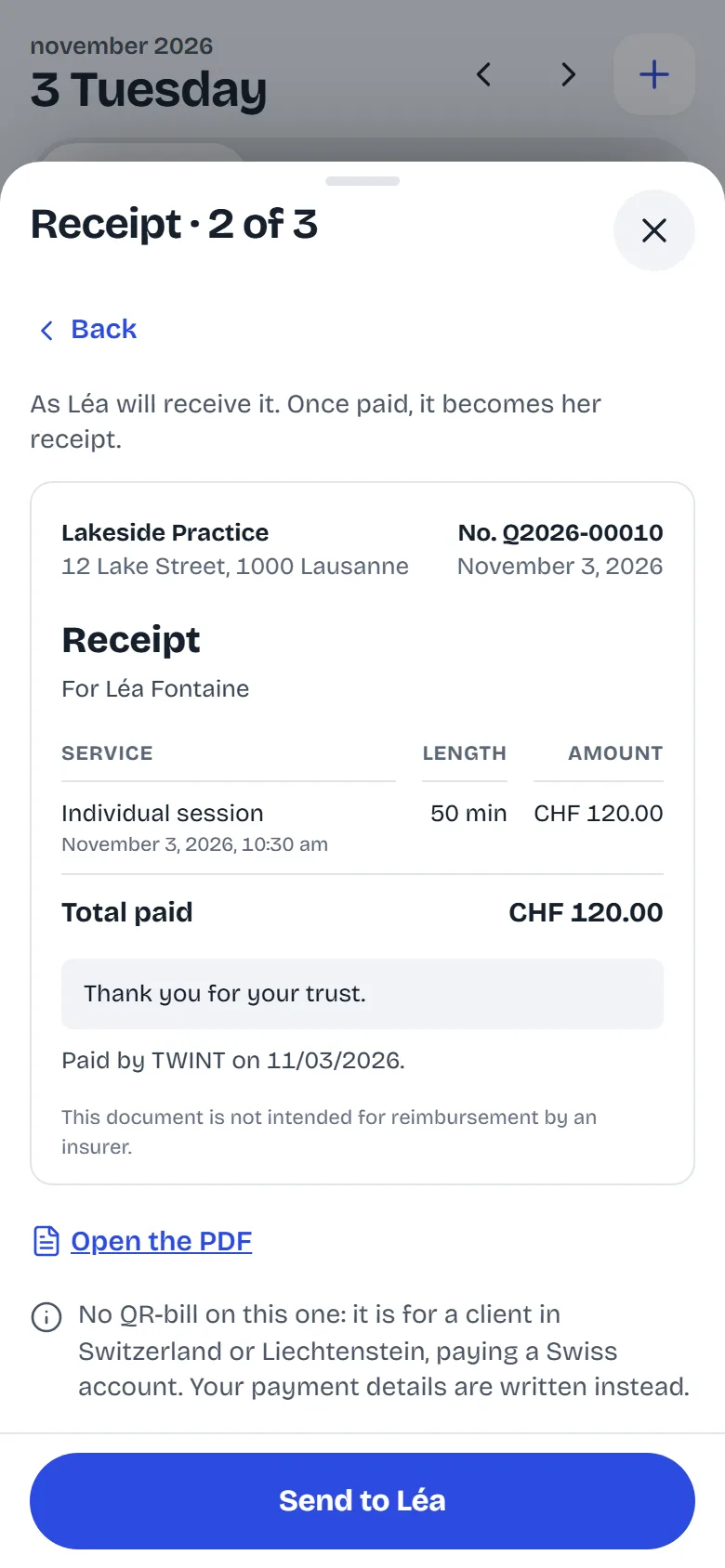
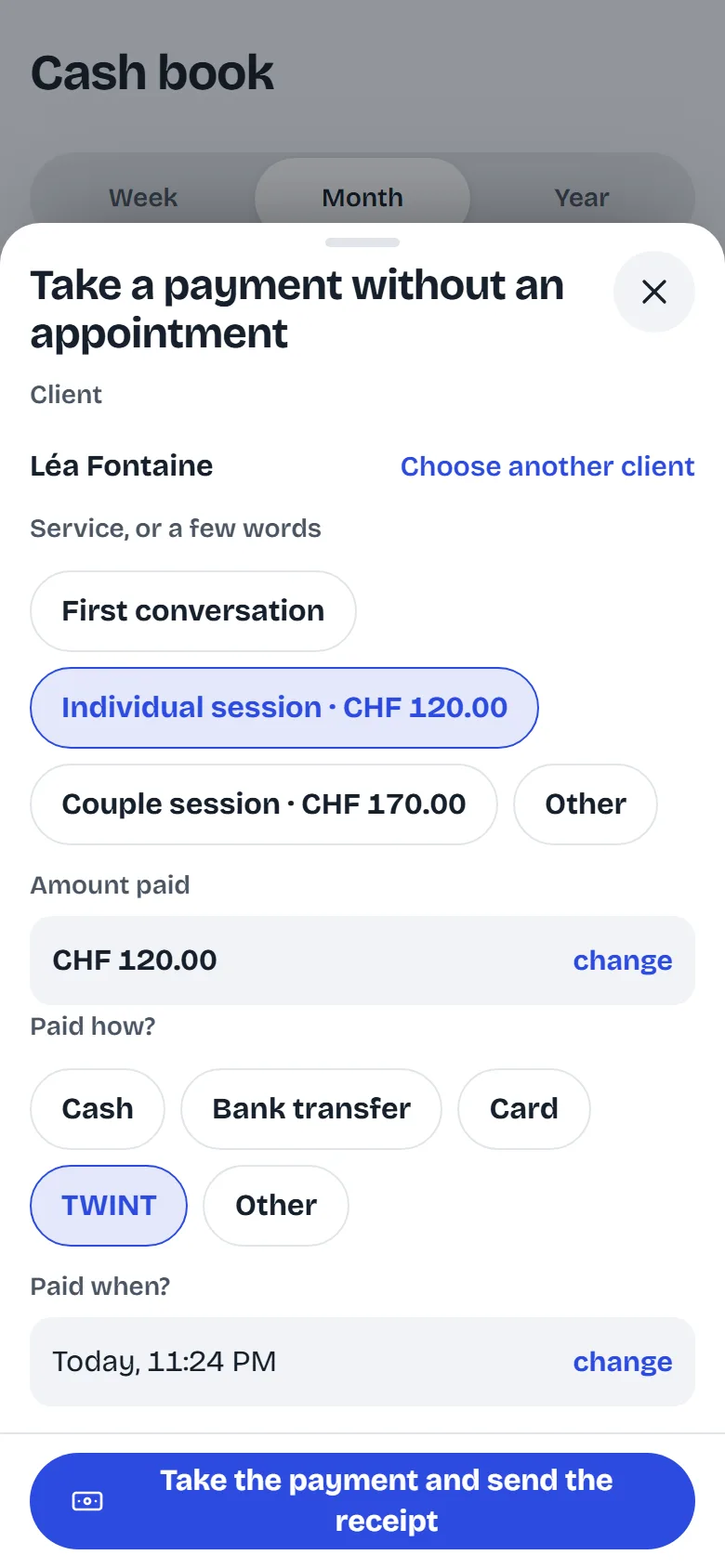
Card and TWINT online, deposits, session packs, QR-billCard and PayPal online, deposits, session packs, SEPA transfer QR codeCard and PayPal online, deposits, session packs, PDF invoice with bank details
Everything included
Several locations and video calls
Repeated sessions and a waiting list
“My appointments” for your clients
As many workshops as you like
Private notes on each client file
Thank-yous and review requests
A booking page you can customise
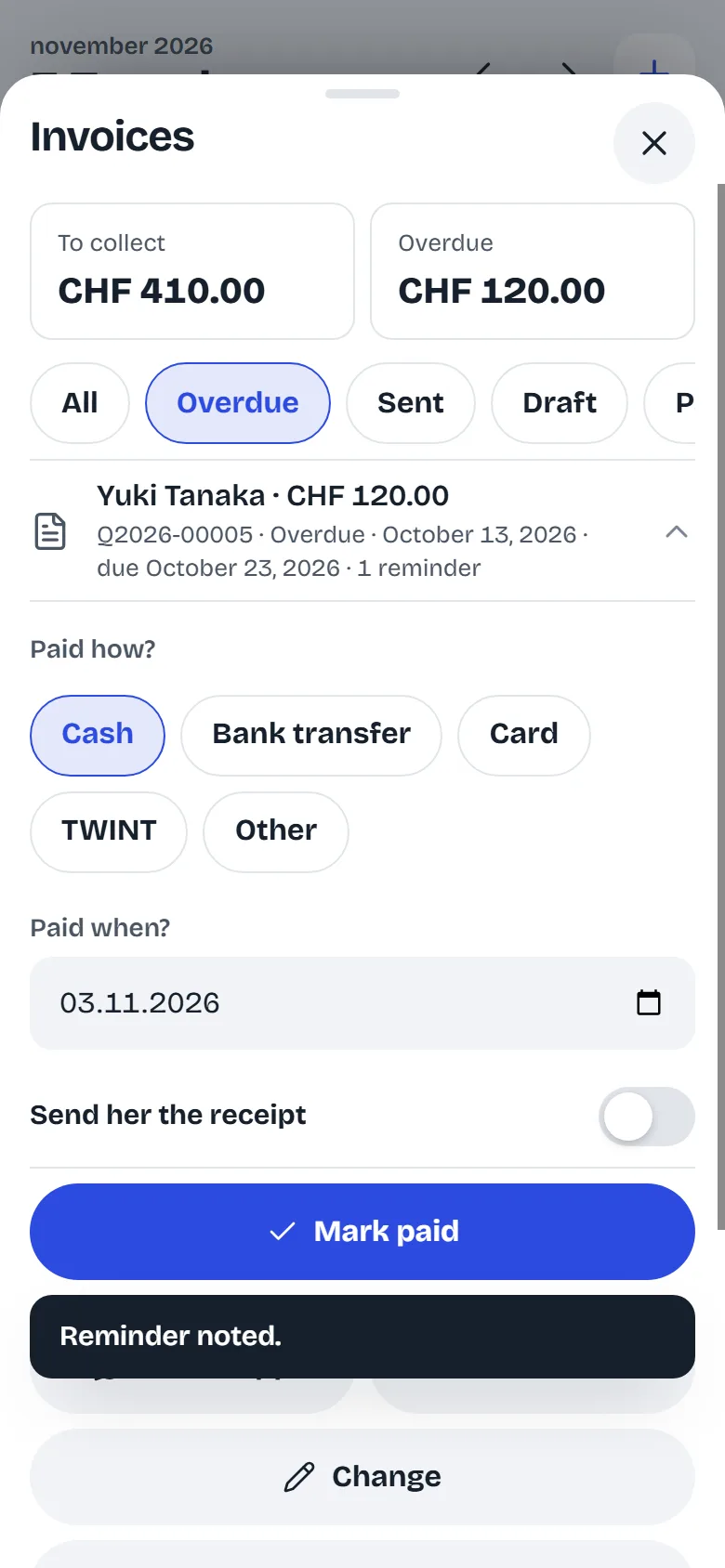
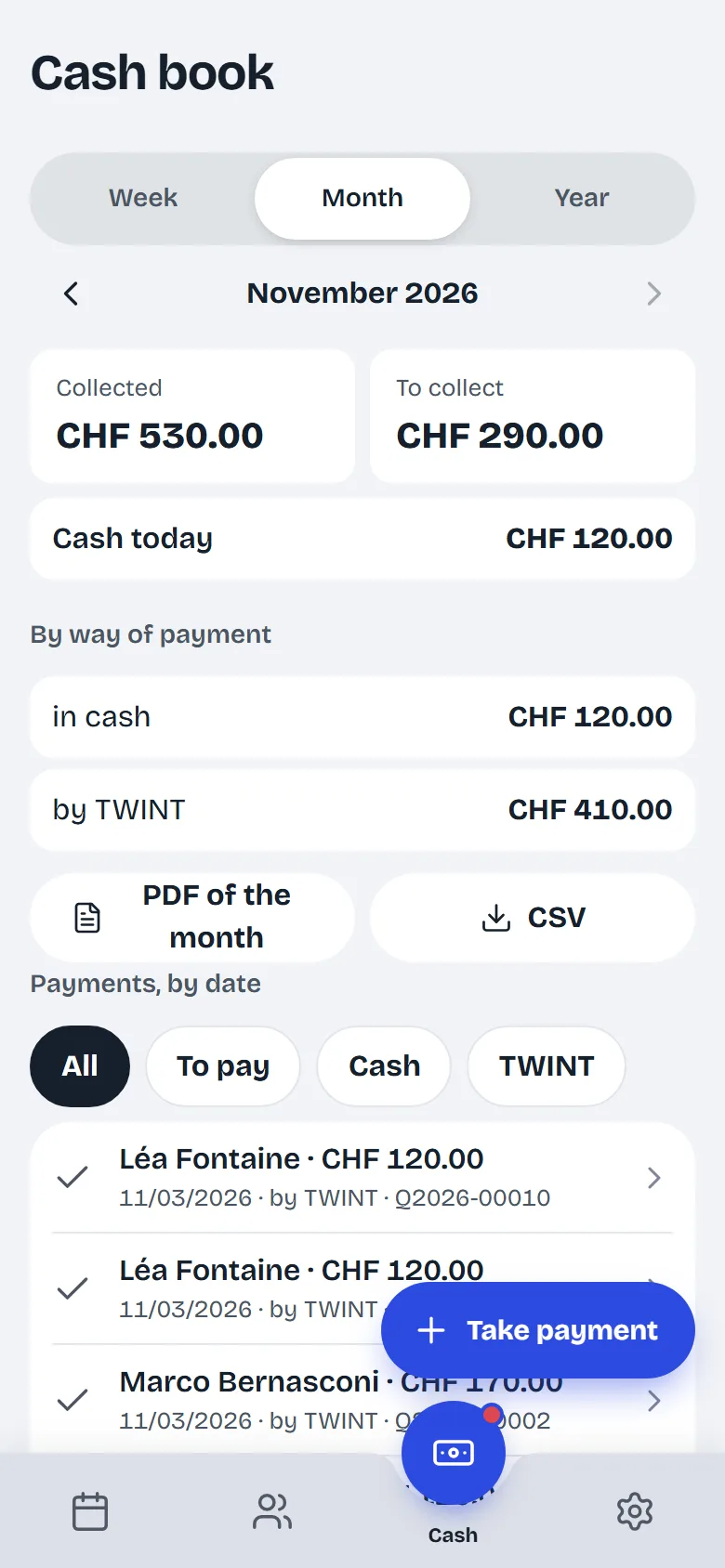
Invoice tracking, reminders, export for your accountant
Your clients manage their appointments themselves, from their workspace and their phone
Text messages are paid by each site’s own account
Not included: No white label
Cancel in two clicks · When it ends, your appointments and your data stay intact.
Compare in detail
What you can do
Free
Solo
Practice
Agency
Take bookings on your site
✓
✓
✓
✓
Block the site when your calendar is busy
✓
✓
✓
✓
See the bookings in your calendar
—
✓
✓
✓
Email reminders
✓
✓
✓
✓
Text reminders sent with one tap
—
✓
✓
✓
Your day on your phone
—
✓
✓
✓
Invoice after the session, track and remind
—
✓
✓
✓
Take payments online, deposits, session packs
—
✓
✓
✓
Share rooms between colleagues
—
—
✓
✓
Active practitioners
1
1
3 (+17 EUR)
1 per place
Sites
1
1
1
up to 20
Prices in Swiss francs, euros, dollars or pounds, as you choose. No VAT: the price shown is the price you pay. A licence never ends abruptly: when it lapses, the Pro features go to sleep, your appointments and your data stay intact, and you can always export your client files.
Kalenbook runs on WordPress today: it installs as a plugin, inside your site. If your site is somewhere else, you first need a WordPress site, even a simple one; an agency can set it up for you.
Do I need someone technical?
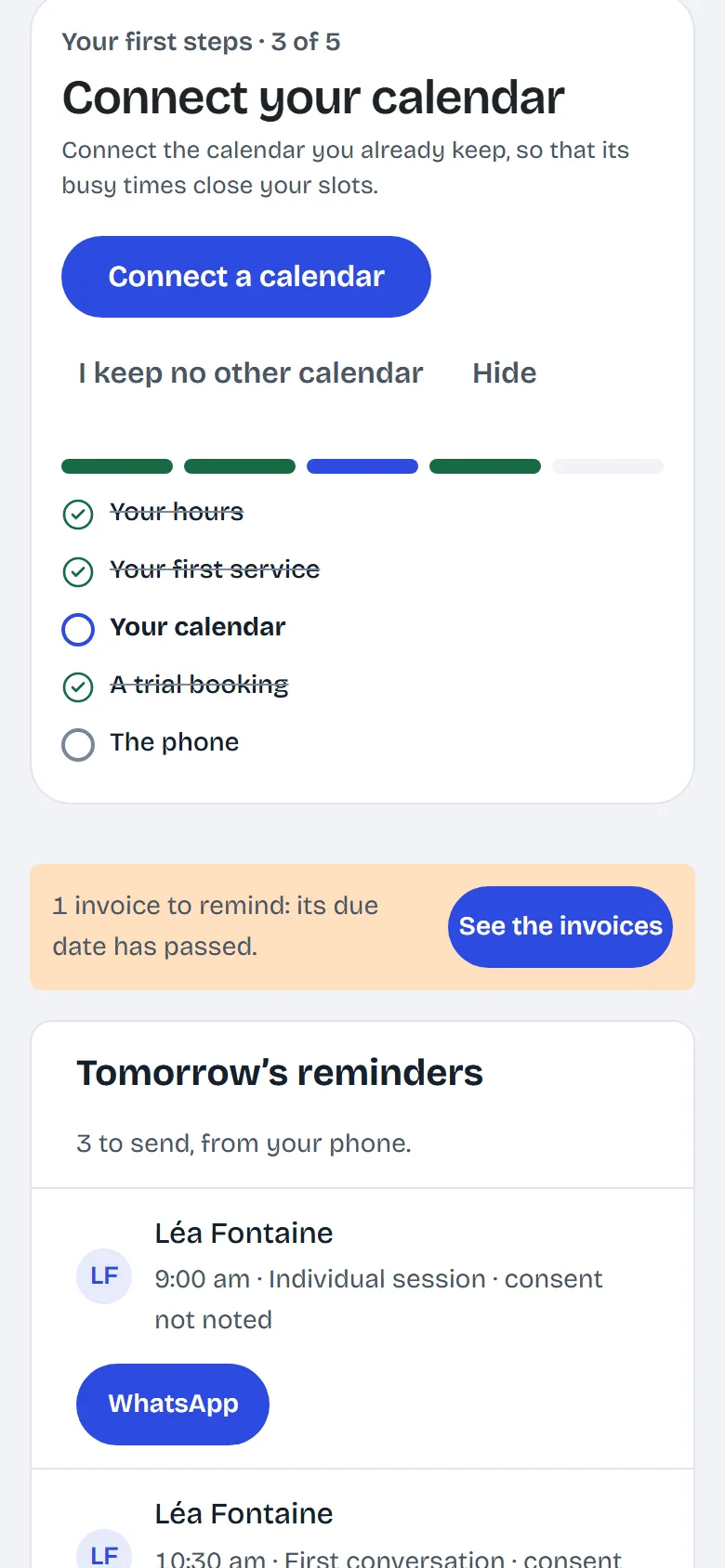
No. Kalenbook installs like any WordPress plugin, and the “Your first steps” card guides you all the way to a test booking: your opening hours, your first service, your calendar. If you can publish a blog post, you can install Kalenbook.
Does it work with my theme (Elementor, Gutenberg)?
Yes, from the free version. Kalenbook goes where you want it: a block in the WordPress editor, a widget in Elementor, or a shortcode anywhere else. It has been tried with Astra, Blocksy, Hello Elementor, Twenty Twenty-Four and Twenty Twenty-Five.
Can I bring my existing clients?
Yes, from the free version. Import a CSV file, an Excel workbook (.xlsx) or contacts (.vcf), taken from another tool or from your phone: Kalenbook recognises the columns, and spots a duplicate by its e-mail, then by its phone number. Nothing is sent to your clients.
Do my clients have to create an account or install an app?
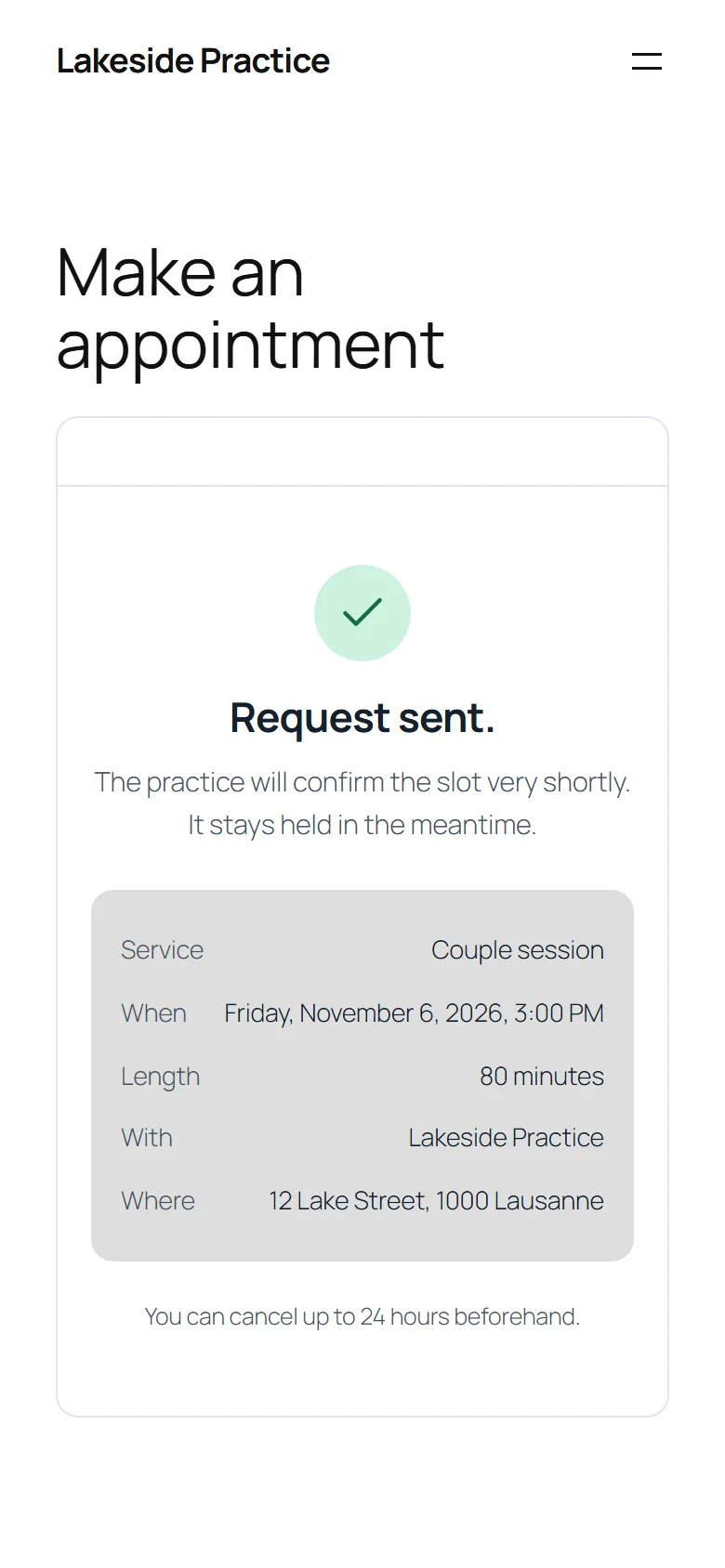
No. A name, an email, and it’s booked. They receive a confirmation, a reminder the day before that you send with one tap, and a link to move or cancel if you allow it. No password, nothing to install.
Do my private appointments really block the site?
Yes, as soon as your calendar is connected. Kalenbook only reads your busy times, unless you ask it for the titles of a calendar. A calendar connected through Google, Outlook or Apple is read again every 90 seconds, a calendar read through its link about every three minutes, and all of them are read once more at the moment someone books. A “Refresh now” button is there if you have just noted something.
What does it really cost me?
The price shown, with no commission on your sessions. The fees of Stripe, PayPal or Payrexx, if you take payments online, are theirs and go to them: Kalenbook takes nothing on top. The text messages you send through the site go out through its own SMS account, with SMSup or another provider, paid to that provider: about CHF 0.10 to 0.15 per message in Switzerland. A bank transfer or payment in person costs nothing.
Can my clients get reimbursed with your invoices?
No. Kalenbook’s invoices and receipts are not meant for reimbursement by an insurer. If your clients need that, it is another document, made with another tool.
My notes are confidential. Where are they?
On your own hosting, and nowhere else. Your colleagues don’t see your notes: only the practice owner sees everything. The message your clients leave when booking never appears in a calendar title or an email subject line.
And if I stop?
Two clicks, from “My account”. Everything stays active until the end of the period you paid for. Then your site moves back to the free version: nothing is deleted, your services and appointments stay, and you can still export your client files.
More questions, in more detail
I use Outlook or an iPhone, not Google. Does it work?
Yes. With Solo, Outlook connects just like Google: one button, one consent, and it works both ways. For Apple, you create an app-specific password in your iCloud account; the screen shows you the five steps. And even in the free version, any calendar can be read through its sharing link.
Do I need a Stripe account to get paid?
No. You show your payment details: bank transfer, payment in person, whatever is usual where you are. The client pays, you confirm with one click. If you’d rather payments were taken automatically, Stripe, PayPal and Payrexx are in the paid plans.
What does my partner see in our shared calendar?
What you decide, calendar by calendar: the name and the service, the service only, or “Busy”. Your work calendar, for instance, gets the person’s name and the service; the family calendar simply gets “Busy”.
There are three of us in the practice. Can each of us see the others’ clients?
No. Each person in the practice has their own hours, calendars, clients and notes. The separation is enforced on the server. Only the practice owner sees everything.
Our front desk takes appointments by phone. Does it count in the plan?
No. With management access, meaning an administrator account on the site, the front desk enters the appointments taken by phone from the computer, into each person’s calendar. Like management, it then sees every client file and every note. It doesn’t use up a place: every active practitioner counts, and the front desk has no practitioner profile.
Can a session come in several lengths, or take a deposit?
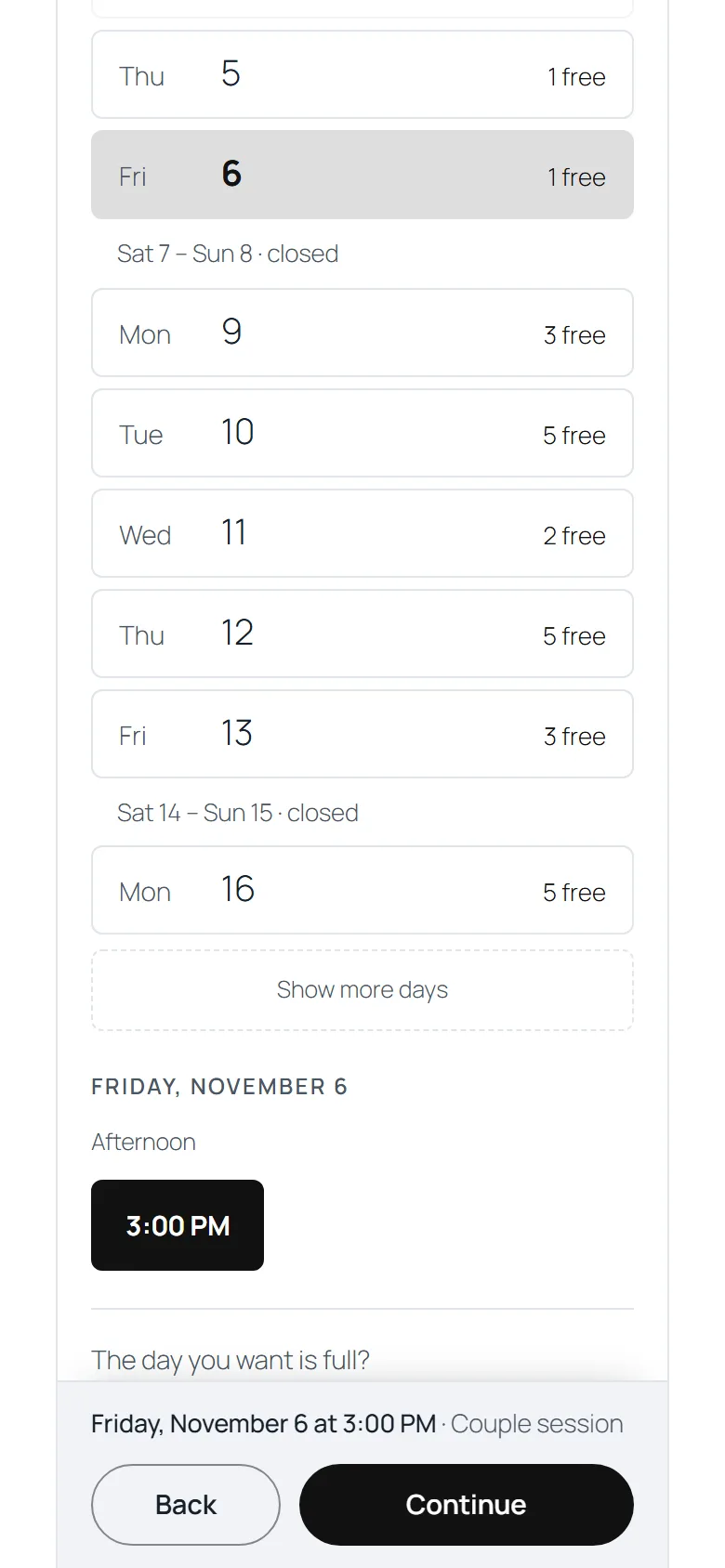
Yes. A service can come in several lengths, each with its own price: 50 or 80 minutes, for example. The client chooses before the time slots, and that’s in the free version too. With Solo, you ask for a deposit, as an amount or a percentage, and its cancellation rule is shown before paying.
Can I sell session packs, or my book?
Yes, with Solo, and no shop to install. A pack of ten sessions is sold online or from the client’s file; the client gets a code, and each booking takes one session off. A book is handed over in person, a file is sent once paid, through a link that expires. Every payment comes with a PDF receipt.
I also see people by video, and in two practices. Can I set that up?
Yes, with Solo. Each location has its own days and hours, and the page offers the choice before the time slots. An “online” location carries your video link, or creates a Google Meet link for each appointment when Google is connected. Teams too, with a work Microsoft 365 account connected.
Not all my clients speak the same language.
Kalenbook speaks English, French, German (including Swiss Standard German), Italian and Spanish: the booking page, the emails and your workspace, even in the free version. On a multilingual site, with WPML or Polylang, the booking page follows the language of the page. And in another time zone, the person booking sees their own local time.
Can I try Pro before buying?
Yes. Ask for a trial on the Trial page: we answer within 24 working hours, and you receive a key valid for 14 days, no card. At the end, your site moves back to the free version, without losing anything.
Rooms and equipment: how does it work?
With Practice, you list what is shared: two treatment rooms, a lamp, a table. Each service says what it needs. When everything is taken, the slot is no longer offered, even if someone in the practice is free.
Agency: who pays, who manages?
The agency takes an Agency licence: 20 places, up to 20 client sites, one invoice. A place is an active practitioner: a solo site takes 1 place, a practice of 3 takes 3. Need more? A second Agency licence. The agency installs Kalenbook for its clients and activates it with its key; its clients then use it like any practice. Text messages are paid through each site’s own SMS account, with the provider of its choice. No white label: Kalenbook keeps its name.
Agency: what if a client leaves the agency?
Their site moves back to the free version, without losing anything: appointments, client files and services stay. They can then take their own licence and get the Pro features back with their key.
Book your first appointment…with yourself.
Install the free version, book a slot on your own site, and watch it land in your Kalenbook workspace (with Pro, in your calendar too). In ten minutes you’ll know whether it’s for you.
To provide the best experiences, we use technologies like cookies to store and/or access device information. Consenting to these technologies will allow us to process data such as browsing behavior or unique IDs on this site. Not consenting or withdrawing consent, may adversely affect certain features and functions.
Functional
Always active
The technical storage or access is strictly necessary for the legitimate purpose of enabling the use of a specific service explicitly requested by the subscriber or user, or for the sole purpose of carrying out the transmission of a communication over an electronic communications network.
Preferences
The technical storage or access is necessary for the legitimate purpose of storing preferences that are not requested by the subscriber or user.
Statistics
The technical storage or access that is used exclusively for statistical purposes.The technical storage or access that is used exclusively for anonymous statistical purposes. Without a subpoena, voluntary compliance on the part of your Internet Service Provider, or additional records from a third party, information stored or retrieved for this purpose alone cannot usually be used to identify you.
Marketing
The technical storage or access is required to create user profiles to send advertising, or to track the user on a website or across several websites for similar marketing purposes.